
Compare models
Dell Latitude 5320 13" Vs Dell Latitude 5490 14"
- 1-year minimum warranty
- Free delivery on all orders
- Free 30-day returns
Differences at a glance
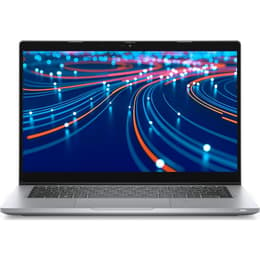
The Dell Latitude 5320 13" (2021) and the Dell Latitude 5490 14" (2018) are professional-grade portable computers designed for business users, students, and everyday multitaskers. While both laptops serve productivity needs reliably, they differ notably in physical dimensions, release timing, and internal generational capabilities. The Latitude 5320 offers a smaller footprint with modern hardware refinements, whereas the Latitude 5490 provides a slightly larger screen workspace built on an older platform. Both systems typically run on standard enterprise operating systems like Windows, delivering familiar software environments for everyday tasks.
Available Models
Storage
Processor
Memory
Scores
Durability
When examining hardware longevity and physical resilience, these two laptops reflect different generations of enterprise engineering and software support windows.
- Release timeline and update support: The Latitude 5320 benefits from a newer release year, allowing it to receive operating system updates and security patches for a longer duration. The Latitude 5490, being an older model, approaches the later stages of its mainstream software support lifecycle.
- Repairability and build endurance: Both machines feature modular internal components that allow straightforward replacement of parts like batteries and storage drives. Their durable outer chassis are designed to withstand regular daily transport in backpacks or briefcases.
- Expected practical lifespan: Users choosing a quality-assured refurbished option like the Latitude 5320 gain extra years of modern system responsiveness, while the Latitude 5490 suits short-term productivity needs adequately.
Year of Release
2021
2017
Last Os Compatibility
Yes
Yes
OS
Windows 11
Windows 11
Performance
Processing power and daily operational speed differ significantly between these two machines due to their generational hardware gap.
- Multitasking and daily workloads: The Latitude 5320 handles multiple open browser tabs, office suites, and background applications smoothly without noticeable stutter. The Latitude 5490 manages standard office tasks and document editing well, but demanding software applications may experience slower loading times.
- Storage and memory configurations: Both models support fast solid-state drive configurations for quick file access, though newer memory standards in the 5320 enable more fluid data handling during heavy multitasking sessions.
- Battery behavior: The Latitude 5320 benefits from power-efficient internal components that sustain typical work hours on a single charge, whereas the Latitude 5490's older battery architecture may require more frequent plugging in during long work sessions.
Graphic card
Integrated Graphics
Integrated Graphics
Screen quality
Display characteristics vary between the two models, directly influencing visual clarity and workspace comfort during prolonged usage.
- Display size and panel type: The Latitude 5320 features a compact 13-inch screen with sharp resolution, offering crisp text and comfortable viewing for mobile users. The Latitude 5490 provides a slightly larger 14-inch screen workspace, which gives users more room to view side-by-side windows without external monitors.
- Brightness and outdoor visibility: The newer display panel on the Latitude 5320 achieves higher maximum brightness levels for easier reading in bright office environments or near windows. The Latitude 5490 offers adequate illumination for indoor workspaces but can appear dimmer under intense direct light.
- Viewing comfort: Both screens utilize anti-glare coatings to reduce distracting reflections, making them suitable for long hours of reading, writing, and spreadsheet management.
Resolution
1920 x 1080
1920 x 1080
Screen type
LCD
IPS
Camera
Audiovisual
Multimedia capabilities, including audio-visual communication features and integrated speaker output, differ in fidelity between these generations.
- Webcam and video calling: The Latitude 5320 is equipped with a clearer webcam sensor that handles indoor lighting changes more effectively during video conferences. The Latitude 5490 features a basic webcam suitable for routine virtual meetings, though image clarity is more limited in dim lighting.
- Audio recording and microphones: Integrated microphone arrays on the Latitude 5320 capture voice input with greater clarity and background noise reduction for calls. The Latitude 5490 provides functional microphone performance for basic voice communication.
- Built-in speakers: Both laptops feature downward-firing stereo speakers adequate for video calls, system alerts, and casual media streaming, though external headphones or speakers are recommended for extended music listening.
Miscellaneous
Physical design traits, port availability, and connectivity options shape how each laptop integrates into a portable workspace.
- Port selection: The Latitude 5320 includes modern versatile connection ports alongside traditional USB slots and video outputs. The Latitude 5490 relies on a broader selection of legacy ports, including a dedicated network jack and standard video connectors without needing adapters.
- Weight and dimensions: The Latitude 5320 is noticeably lighter and more compact, making it an eco-friendly, sustainable choice for frequent travelers and mobile students. The Latitude 5490 has a heavier, thicker chassis that remains sturdy for desk-bound or occasional transport use.
- Wireless connectivity: The newer internal networking hardware in the Latitude 5320 supports faster wireless router standards and more stable Bluetooth connections compared to the older generation hardware in the 5490.
Weight
1200 g
1600 g
Screen size
13
14
What the community thinks
User feedback from online communities highlights distinct advantages for both laptops depending on daily routines and workspace setups. Owners of the Latitude 5320 frequently praise its lightweight portability, crisp display, and responsive day-to-day speed during mobile work sessions. At the same time, users of the Latitude 5490 often appreciate its sturdy physical construction, comfortable keyboard travel, and the convenience of built-in legacy ports that eliminate the need for extra dongles.
Users who prioritize a lightweight design, modern software longevity, and enhanced battery efficiency may prefer the Latitude 5320. Meanwhile, users who value a slightly larger screen workspace, a wide array of built-in physical ports, and a reliable desk-bound setup may lean toward the Latitude 5490. Selecting either model as a quality-assured refurbished device allows consumers to secure dependable computing power while supporting sustainable technology habits.