

Compare models

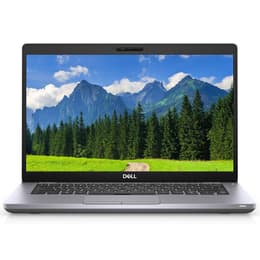
Dell Latitude 5410 14" Vs Dell Latitude 5490 14"

  • 1-year minimum warranty
  • Free delivery on all orders
  • Free 30-day returns
Dell Latitude 5410 14"
Starting at

Refurbished price:€299.00

Versus €762.44 new

See options
Dell Latitude 5490 14"
Starting at

Refurbished price:€278.00

Versus €754.00 new

See options

Differences at a glance

The Dell Latitude 5410 (2020) and Dell Latitude 5490 (2018) are 14-inch business laptops designed for professional productivity and everyday multitasking. While both models share a focus on enterprise reliability and versatile port selection, the Latitude 5410 introduces a newer processor generation and refined silver chassis design compared to its predecessor. Both laptops run on the Windows operating system environment, providing familiar software compatibility for professional and student workflows alike.

Available Models

Storage

Processor

Memory

Scores

Durability

When evaluating structural longevity and software support, both business-tier laptops offer durable builds and straightforward maintenance paths, though their release timelines differ by two years.

  • Release Timeline and Software Support: The Latitude 5410 benefits from a newer release year, allowing for an extended window of official driver updates and security patches compared to the older Latitude 5490.
  • Repairability and Component Access: Both models feature modular internal layouts with accessible SO-DIMM memory slots and removable solid-state drives, making it straightforward to replace components or maintain hardware over time.
  • Expected Practical Lifespan: Because of its newer generation internal architecture, the Latitude 5410 maintains an advantage for long-term daily computing demands, while both units offer solid physical resilience built to corporate standards.

Year of Release

2019

2017

Last Os Compatibility

Yes

Yes

OS

Windows 11

Windows 11

Performance

Daily responsiveness and multitasking behavior differ noticeably due to the generational gap in processing hardware between these two enterprise notebooks.

  • Everyday Responsiveness and Multitasking: The Latitude 5410 handles standard office software, web browsing with numerous tabs, and video conferencing smoothly thanks to its updated quad-core processor options. The Latitude 5490 handles similar baseline tasks adequately, though heavier multi-app workloads may show slightly longer loading times.
  • Memory and Storage Flexibility: Both devices support configurable RAM and fast solid-state drive storage, allowing users to switch between applications efficiently without major system slowdowns.
  • Battery Behavior: Battery endurance on both machines depends heavily on battery health condition and workload intensity, with typical office use sustaining a standard workday before requiring a recharge.

Graphic card

Integrated Graphics

Integrated Graphics

Screen quality

Visual output across both laptops centers on standard 14-inch form factors tailored for document editing and media consumption.

  • Display Technology and Clarity: Both laptops feature Full HD resolution panels with anti-glare matte coatings that reduce environmental reflections during indoor and outdoor use.
  • Brightness and Outdoor Visibility: Standard configurations for both models typically hover around baseline brightness levels suitable for indoor office environments, requiring shadier spots when used outdoors.
  • Viewing Experience: In-Plane Switching technology on standard panels ensures stable color consistency and wide viewing angles when sharing content or adjusting screen tilts.

Resolution

1920 x 1080

1920 x 1080

Audiovisual

Multimedia capabilities on these enterprise laptops focus primarily on clear communication and functional audio delivery for remote collaboration.

  • Webcam Performance: Both devices include integrated webcams positioned above the display, suitable for routine video meetings and virtual classrooms.
  • Microphone and Speaker Output: Built-in dual microphones and stereo speakers provide adequate voice clarity for calls and casual media playback without requiring external accessories.
  • Media Consumption: While sufficient for podcasts and video calls, external headphones or speakers are generally recommended for an immersive audio experience.

Miscellaneous

Physical design choices and connectivity standards reflect the practical evolution of business-oriented laptop engineering over the two-year span between releases.

  • Port Selection and Connectivity: Both models offer comprehensive port layouts including multiple traditional USB connections, USB Type-C ports with video output capabilities, HDMI, and Ethernet jacks, alongside modern Wi-Fi and Bluetooth standards.
  • Dimensions and Handling: The Latitude 5410 shifts to a lighter silver-gray aesthetic with a drop-down hinge design, whereas the Latitude 5490 utilizes a darker carbon-fiber reinforced chassis, though both maintain a comparable weight close to 1.6 kilograms for convenient daily transport.
  • Security Features: Enterprise-grade security options such as Trusted Platform Module chips and optional fingerprint readers are available across both product lines to protect user data.

Weight

1500 g

1500 g

Screen size

14

14

What the community thinks

Users reviewing community discussions frequently praise both the Dell Latitude 5410 and Latitude 5490 for their robust keyboard layouts, extensive physical port selections, and sturdy physical construction that handles daily commuting with ease. Common criticisms often point to average built-in speaker quality and baseline screen brightness levels that require careful placement away from direct sunlight. Actual users note that both machines excel as dependable, straightforward tools for word processing, administrative tasks, and academic workloads.

Users prioritizing slightly newer internal hardware and a more modern chassis design may prefer the Dell Latitude 5410, while users seeking a capable, traditional business notebook will find the Dell Latitude 5490 aligns well with standard productivity needs. For those looking to make a sustainable choice, a quality-assured refurbished option provides a reliable, eco-friendly alternative that extends the lifecycle of these durable enterprise devices. Ultimately, the choice depends on matching your specific multitasking demands and software expectations to each laptop's generation.

Our recent comparisons