

Compare models
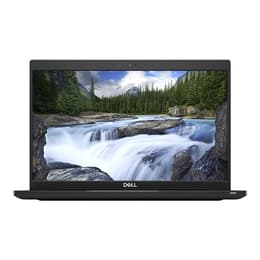
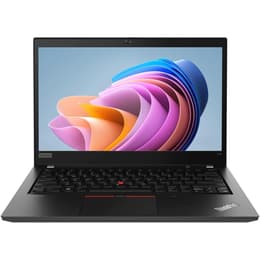
Dell Latitude 7390 13" Vs Lenovo ThinkPad T14 G1 14"
- 1-year minimum warranty
- Free delivery on all orders
- Free 30-day returns
Differences at a glance
The Dell Latitude 7390 13 (released in early 2018) and the Lenovo ThinkPad T14 G1 14 (released in mid-2020) are business-oriented laptops designed for productivity and reliability. While both offer a professional computing experience, the ThinkPad T14 G1 generally provides more modern internal components and a slightly larger display, whereas the Latitude 7390 focuses on a compact form factor. Both devices typically run on the Windows operating system.
Available Models
Storage (GB)
Processor
Memory (GB)
Scores
Durability
When considering the long-term usability of these laptops, their release dates play a significant role in expected software support and overall lifespan.
- Release Timeline: The Dell Latitude 7390 was introduced in early 2018, making it an older model compared to the Lenovo ThinkPad T14 G1, which launched in mid-2020. This two-year difference means the ThinkPad T14 G1 benefits from a longer potential period of official software updates and security patches from its manufacturer.
- OS Support: Both devices are capable of running modern Windows operating systems. However, the ThinkPad T14 G1, being newer, is likely to receive compatible OS updates for a longer duration, extending its functional life.
- Build Quality: Both laptops are built with business-grade durability in mind, often featuring MIL-STD 810G testing for resistance against environmental extremes, shock, and vibration. The Latitude 7390 uses materials like carbon fiber and magnesium alloy, while the ThinkPad T14 G1 incorporates magnesium alloy with glass fiber in its chassis.
Year of Release
2017
2019
OS
Windows 11
Windows 11
Performance
The performance of these laptops is influenced by their internal hardware, particularly the processor and memory configurations, impacting how smoothly they handle daily tasks.
- Processing Power: The Dell Latitude 7390 typically features 8th generation Intel Core processors, which provide solid performance for general office applications, web browsing, and multitasking. The Lenovo ThinkPad T14 G1, on the other hand, comes with 10th generation Intel Core processors or AMD Ryzen 4000 series processors, offering improved efficiency and greater processing capabilities for more demanding applications and heavier multitasking.
- Memory and Storage: The Latitude 7390 generally supports up to 16GB of RAM, with some configurations offering up to 32GB, and utilizes SSD storage for faster boot times and application loading. The ThinkPad T14 G1 can be configured with significantly more RAM, up to 48GB or even 64GB in some variants, and also uses fast NVMe PCIe SSDs, providing more headroom for intensive workloads and extensive multitasking.
- System Responsiveness: Users of the ThinkPad T14 G1 often report a snappier experience with complex software and multiple applications running simultaneously due to its newer processor architecture and higher potential RAM capacity. The Latitude 7390 delivers a responsive experience for typical business use, but the ThinkPad T14 G1 offers a performance advantage for users with more intensive computing needs.
Graphic card
Integrated Graphics
Integrated Graphics
Screen quality
The visual experience on these laptops is determined by their display technology, resolution, and other screen characteristics.
- Display Size and Resolution: The Dell Latitude 7390 features a 13.3-inch Full HD (1920x1080) IPS display, offering clear visuals and comfortable viewing angles. The Lenovo ThinkPad T14 G1 comes with a slightly larger 14-inch display, also commonly available in Full HD (1920x1080) IPS, providing a bit more screen real estate.
- Brightness and Color: The Latitude 7390's display is noted for its vibrant colors and good sRGB coverage, making it suitable for tasks requiring color accuracy. The ThinkPad T14 G1 offers various display options, including some with higher brightness levels (up to 500 nits) and wider color gamuts, including 4K UHD options, which can be beneficial for outdoor use or professional creative work.
- Panel Type and Features: Both models offer IPS panels, which are known for wide viewing angles. The Latitude 7390 often includes a matte finish, which helps reduce glare. The ThinkPad T14 G1 also has options for low-power panels and PrivacyGuard technology, enhancing battery life and screen privacy respectively.
Resolution
1920 x 1080
1920 x 1080
Audiovisual
For communication and media consumption, the camera, microphone, and speaker quality are important considerations.
- Webcam Quality: Both laptops typically include a 720p HD webcam, suitable for video conferencing and online meetings. The Latitude 7390's camera is generally considered to capture average-brightness, slightly soft-focus shots. The ThinkPad T14 G1 also features a 720p webcam, often accompanied by a ThinkShutter for physical privacy.
- Audio Input: Both devices are equipped with dual-array microphones, designed to capture clear audio during calls and recordings.
- Speaker Output: The Dell Latitude 7390 features 2W speakers, which are adequate for general audio playback. The Lenovo ThinkPad T14 G1 also includes 2W speakers, often enhanced with Dolby Audio, providing a slightly richer sound experience for media consumption.
Miscellaneous
Beyond core performance and display, several practical features contribute to the overall user experience and connectivity.
- Connectivity: The Dell Latitude 7390 offers a good range of ports, including USB 3.1, HDMI, Ethernet, and an optional Thunderbolt 3 port, along with Wi-Fi 5 (802.11ac) and Bluetooth 4.2. The Lenovo ThinkPad T14 G1 provides more modern connectivity with USB 3.2 Gen 1 and Gen 2 ports, HDMI, Ethernet, and often includes Thunderbolt 3 (on Intel models) or multiple USB-C 3.2 Gen 2 ports (on AMD models), alongside Wi-Fi 6 (802.11ax) and Bluetooth 5.0 or 5.1.
- Port Selection: The Latitude 7390 includes a microSD card reader and an optional Smart Card reader. The ThinkPad T14 G1 also features a microSD card reader, an optional Smart Card reader, and a nano-SIM card slot for mobile broadband connectivity.
- Security Features: Both laptops offer robust security options. The Latitude 7390 includes an optional fingerprint reader and IR face recognition for Windows Hello. The ThinkPad T14 G1 also provides a fingerprint reader and an IR camera for facial recognition, along with a physical webcam shutter.
- Portability: The Latitude 7390 is a compact and lightweight device, weighing around 1.17 kg (2.58 lbs) and measuring about 16.5 mm thick, making it highly portable. The ThinkPad T14 G1 is slightly heavier at around 1.46 kg (3.23 lbs) and a bit thicker at 17.9 mm, reflecting its larger screen size.
Weight
1500 g
2500 g
Screen size
13
14
What the community thinks
The Dell Latitude 7390 13 and the Lenovo ThinkPad T14 G1 14 both serve as reliable business laptops, each with distinct advantages. Users often praise the Latitude 7390 for its compact size, solid build quality, and good battery life for its generation. Some common criticisms include a potentially cramped keyboard and occasional fan noise. The ThinkPad T14 G1 is frequently lauded for its enhanced performance, especially with AMD Ryzen processor options, its excellent keyboard, and comprehensive port selection. However, some users note that certain display configurations might not be ideal for outdoor use, and the base models might have lower brightness.
Users prioritizing a highly portable and lightweight device for general productivity and who value a slightly smaller footprint may find the Dell Latitude 7390 13 well-suited to their needs. Its established durability and sufficient performance for everyday tasks make it a dependable choice. Conversely, users who require more processing power for demanding applications, desire a slightly larger screen, or need more advanced connectivity options like Wi-Fi 6 and higher RAM capacities, will likely lean towards the Lenovo ThinkPad T14 G1 14. Its newer hardware offers a performance edge and extended longevity for future software. Both models are available as quality-assured refurbished options, providing a sustainable choice for consumers.