

Dell Latitude 5520 15" Vs HP EliteBook X360 1030 G4 13"

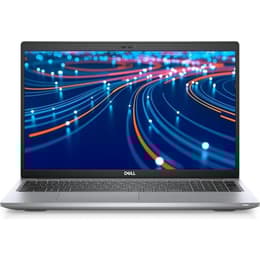
Dell Latitude 5520 15"
Starting at

Refurbished price:490.00

Versus €1,251.88 new

See options
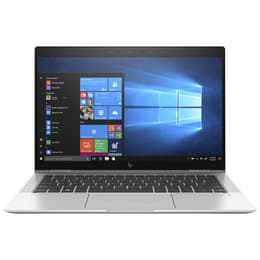
HP EliteBook X360 1030 G4 13"
Starting at

Refurbished price:246.09

Versus €1,924.00 new

See options

Ratings

The Dell Latitude 5520 15, released in early 2021, is a business-oriented laptop designed for productivity, while the HP EliteBook x360 1030 G4 13, launched in September 2019, offers a versatile 2-in-1 convertible experience. Both devices operate on the Windows platform, but they cater to different user needs through their distinct form factors, screen sizes, and hardware generations.

Scores

Durability

When considering the practical lifespan of these devices, several factors come into play, including their release timelines, operating system support, and ease of repair.

  • Release Timeline: The Dell Latitude 5520 15 is a newer model, released in early 2021, giving it an inherent advantage in terms of hardware modernity and expected software support longevity compared to the HP EliteBook x360 1030 G4 13, which was released in September 2019.
  • Software Longevity: Both laptops run Windows, benefiting from Microsoft's ongoing operating system updates. However, the Dell Latitude 5520's more recent processor generation (11th Gen Intel Core) is likely to receive driver updates and maintain compatibility with future software demands for a longer period than the HP EliteBook x360 1030 G4's 8th Gen Intel Core processors.
  • Repairability: Both models are business-grade laptops, generally designed with some degree of repairability. The Dell Latitude 5520 offers accessible components like RAM and SSDs for upgrades and replacements. The HP EliteBook x360 1030 G4 also has guides for component replacement, including the battery and SSD, but its RAM is soldered, limiting upgrade options.

Year of Release

2020

2019

Last Os Compatibility

Yes

Yes

OS

Windows 11

Windows 11

Performance

The performance of these two laptops is largely influenced by their respective hardware generations and design philosophies.

  • Processor Capabilities: The Dell Latitude 5520 15, equipped with 11th Gen Intel Core processors, generally delivers a more responsive experience for demanding applications and multitasking compared to the HP EliteBook x360 1030 G4 13, which features 8th Gen Intel Core processors. This difference translates to faster application loading and smoother operation in compute-intensive tasks on the Dell.
  • Multitasking and Memory: The Dell Latitude 5520 supports up to 64GB of DDR4 RAM across two SODIMM slots, offering significant headroom for heavy multitasking and specialized applications. In contrast, the HP EliteBook x360 1030 G4 comes with up to 16GB of LPDDR3 RAM, which is soldered to the motherboard, meaning it cannot be upgraded.
  • Battery Behavior: The Dell Latitude 5520 offers battery options of 42Wh or 63Wh, with the larger capacity providing extended usage, tested at nearly 15 hours for web browsing. The HP EliteBook x360 1030 G4 features a 56.2 Wh battery, with real-world usage typically around 9.5 hours for Wi-Fi browsing, though some users report shorter durations with older batteries.

Memory (GB)

16 GB

8 GB

Processor

Core i5-1135G7

Core i5 - Gen 8 (U)

Graphic card

Integrated Graphics

Integrated Graphics

Screen quality

The display experience on these laptops differs significantly due to their size, technology, and intended use cases.

  • Display Technology and Clarity: Both laptops typically feature Full HD (1920 x 1080) IPS displays, providing clear visuals and good viewing angles. The Dell Latitude 5520 15 offers a larger 15.6-inch screen, which can be beneficial for productivity tasks requiring more screen real estate. The HP EliteBook x360 1030 G4 13 has a 13.3-inch touchscreen, enhancing its versatility as a 2-in-1 device.
  • Brightness and Features: The HP EliteBook x360 1030 G4 often comes with higher brightness levels, around 400 nits, and optional HP Sure View integrated privacy screen, which can be advantageous for outdoor use or sensitive work environments. The Dell Latitude 5520 typically offers 250 nits brightness and an anti-glare finish.
  • Viewing Experience: The Dell's larger screen is well-suited for users who prioritize a spacious workspace for documents, spreadsheets, or multiple applications side-by-side. The HP's smaller, touch-enabled screen and 360-degree hinge make it ideal for presentations, note-taking with a pen, or use in tablet mode.

Resolution

1920 x 1080

1920 x 1080

Screen type

LCD

IPS

Camera

Audiovisual

For communication and media consumption, both laptops offer standard features tailored for business use.

  • Camera System: Both the Dell Latitude 5520 15 and the HP EliteBook x360 1030 G4 13 include integrated HD webcams suitable for video conferencing and online meetings. The Dell model often features an IR camera for facial recognition and a privacy shutter for enhanced security.
  • Microphone Quality: Each device is equipped with integrated microphones designed to capture clear audio for calls. The HP EliteBook x360 1030 G4 emphasizes enhanced noise cancellation, which can improve the clarity of communication in varied environments.
  • Speaker Output: Both laptops provide stereo speakers for media consumption and conference calls. The HP EliteBook x360 1030 G4 often features audio tuned by Bang & Olufsen, which can offer a more refined audio experience.

Miscellaneous

Beyond core performance and display, several practical elements differentiate these two business laptops.

  • Connectivity Options: The Dell Latitude 5520 15 benefits from newer connectivity standards, including Thunderbolt 4 ports and Wi-Fi 6, offering faster data transfer speeds and more reliable wireless connections. The HP EliteBook x360 1030 G4 13 includes Thunderbolt (Thunderbolt 3), Wi-Fi 6 (AX200), and Bluetooth 5.0.
  • Port Selection: The Dell Latitude 5520 provides a comprehensive selection of ports, including multiple USB-A and USB-C (Thunderbolt 4) ports, HDMI, an Ethernet port, and a microSD card reader, catering to a wide range of peripherals and external displays. The HP EliteBook x360 1030 G4 offers a more streamlined port selection with USB-C (Thunderbolt), USB-A, and HDMI.
  • Weight and Dimensions: The HP EliteBook x360 1030 G4 is significantly lighter and more compact, starting at approximately 1.25 kg (2.76 lbs), making it highly portable for users on the go. The Dell Latitude 5520, with its larger screen, starts at around 1.59 kg (3.5 lbs), offering a more substantial build for a traditional desktop replacement experience.

Weight

1590 g

1270 g

Screen size

15

13

The Dell Latitude 5520 15 and the HP EliteBook x360 1030 G4 13 each present a compelling set of features for business users, though they cater to different priorities. Users often praise the Dell Latitude 5520 for its robust build quality, comfortable keyboard, and strong performance for demanding tasks, particularly with its 11th Gen processors and ample RAM options. Some users, however, have noted potential overheating with higher-end i7 configurations.

The HP EliteBook x360 1030 G4 is frequently lauded for its exceptional versatility, lightweight design, and the interactive experience provided by its touchscreen and convertible form factor. Criticisms sometimes point to its older processor generation and the non-upgradable, soldered RAM, which can limit its long-term performance for increasingly demanding software. Some users have also reported heat management concerns, especially under load or when charging.

Users prioritizing a larger screen for extensive productivity, a wide array of ports, and the latest processor performance for intensive applications may find the Dell Latitude 5520 15 better suited to their needs. Conversely, individuals who value extreme portability, a flexible 2-in-1 design with touch and pen input, and a premium build for frequent travel and collaborative work will likely lean towards the HP EliteBook x360 1030 G4 13. Both models are solid choices within their respective categories, and considering a quality-assured refurbished option can provide an eco-friendly alternative for either device.

See all articles

Our recent comparisons