

Compare models

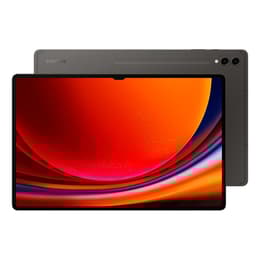
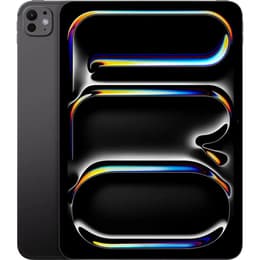
Galaxy Tab S9 Ultra (14.6", 2023) Vs iPad Pro (2025, M5 series)

  • 1-year minimum warranty
  • Free delivery on all orders
  • Free 30-day returns
Galaxy Tab S9 Ultra (14.6", 2023)
Starting at

Refurbished price:€686.80

Versus €1,569.00 new

See options
iPad Pro (2025, M5 series)
Starting at

Refurbished price:€904.00

Versus €1,319.00 new

See options

Differences at a glance

The Samsung Galaxy Tab S9 Ultra (2023) and the Apple iPad Pro (2025, M5 series) represent two distinct approaches to large-format mobile computing. While the Galaxy Tab S9 Ultra provides an expansive canvas powered by the Android ecosystem, the iPad Pro leverages Apple's current-generation processor and iPadOS to deliver high-performance multitasking in a remarkably thin form factor.

Available Models

Colour

Storage

Scores

Durability

Both devices are built for long-term usage, though their release timelines and update structures differ in ways that impact long-term ownership.

  • Release timeline and software support: The Galaxy Tab S9 Ultra launched in 2023, while the iPad Pro debuted in late 2025, giving the Apple model a newer baseline for multi-year manufacturer software updates.
  • Repairability and structural longevity: Both tablets feature rigid aluminum frames, though neither scores exceptionally high for user-end repairability due to extensive adhesive use in their slim chassis designs.
  • Expected practical lifespan: Thanks to powerful internal components and generous random access memory allocations, both models retain sufficient operational headroom to function smoothly across many years of heavy daily use.

Year of Release

2023

2025

Compatible with latest Update

Yes

Yes

OS

Android

iPadOS

Performance

Handling everything from routine web browsing to demanding creative software, these tablets approach day-to-day tasks with distinct internal architectures.

  • Storage and memory configurations: Both slates offer versatile storage tiers starting at 256 gigabytes alongside robust memory capacities that keep background tasks active without stuttering.
  • System responsiveness and multitasking: App loading, split-screen workflows, and demanding 3D rendering execute rapidly, supported by current-generation processors designed for thermal efficiency.
  • Battery behavior: Typical usage yields a full day of mixed productivity and media consumption on both devices, though intensive rendering tasks will draw down energy reserves more quickly.

Screen quality

Visual output is a central focus for both flagship devices, utilizing advanced display technologies to ensure clarity and accurate color representation.

  • Display technology and vibrancy: The Galaxy Tab S9 Ultra features a large organic light-emitting diode panel with deep contrast levels, while the iPad Pro utilizes a sophisticated multi-layer display architecture known for exceptional peak brightness and color accuracy.
  • Refresh rate and motion smoothness: Both models support adaptive high refresh rates up to 120 hertz, ensuring fluid scrolling through documents and responsive digital pen interactions.
  • Dimensions and viewing area: The Samsung model offers a substantially wider 14.6-inch viewing space, whereas the iPad Pro keeps a more compact 13-inch footprint that balances screen estate with portability.

Resolution

1848 x 2960

2420 x 1668

Screen type

Dynamic AMOLED 2X

Ultra Retina XDR display

Audiovisual

Media creation and communication tools are integrated into both frames, tailored primarily for scanning documents, video calls, and casual photography.

  • Front-facing camera placement: The Galaxy Tab S9 Ultra positions its wider lens along the horizontal edge for natural landscape video conferences, while the iPad Pro also utilizes a landscape-oriented front camera setup.
  • Rear camera systems: Dual-sensor rear setups capture sharp everyday photos and detailed reference images, supplemented by software stabilization during video recording.
  • Audio and speaker output: Multi-speaker arrays on both tablets produce clear, room-filling sound with notable stereo separation, making them well-suited for streaming media without external headphones.

Miscellaneous

Physical dimensions and connectivity standards define how easily these large tablets integrate into mobile workflows and travel setups.

  • Portability and weight: The iPad Pro prioritizes an ultra-thin profile and lighter weight, whereas the larger Galaxy Tab S9 Ultra requires a bit more space in a backpack.
  • Input accessories: The Samsung model includes a precise stylus directly in the box, while Apple's compatible keyboards and precision pens are acquired separately.
  • Connectivity options: Both support rapid wireless standards including high-speed Wi-Fi and optional cellular connectivity for working remotely.

Weight

129 g

444 g

Screen size (in)

14.6

11

Network

Wi-Fi

Wi-Fi

Carrier compatibility

Unlocked

Without SIM Port

What the community thinks

Online user communities frequently praise the Galaxy Tab S9 Ultra for its expansive screen real estate and the inclusion of a responsive stylus, making it a favorite for split-screen multitasking and handwritten notes. Conversely, owners of the iPad Pro highlight its unmatched processing headroom and exceptional build quality as key advantages for digital illustration and video editing. Some users note that the sheer physical size of the Samsung model can feel cumbersome in tight spaces, while iPad users occasionally mention the limitations of file management in mobile operating systems.

Users prioritizing a massive viewing canvas, bundled stylus utility, and flexible Android file handling will find the Galaxy Tab S9 Ultra well-suited to their needs. Meanwhile, users prioritizing maximum raw processing power, high portability relative to screen size, and deep integration with professional creative software will lean toward the iPad Pro. Exploring a quality-assured refurbished option through platforms like Back Market provides an eco-friendly path to acquiring these high-end computing tools sustainably. Ultimately, the right choice depends on preferred operating system ecosystems and individual workflow habits.

Our recent comparisons