
Compare models
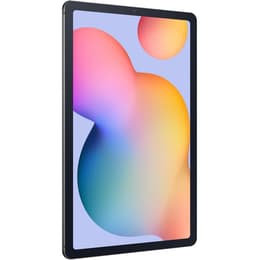
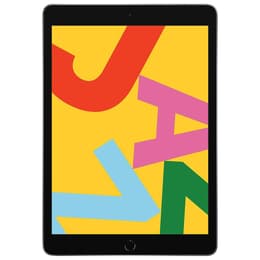
Galaxy Tab S6 Lite (10.4", 2022) Vs iPad 7 (2019, A10 series)
- 1-year minimum warranty
- Free delivery on all orders
- Free 30-day returns
Differences at a glance
The Samsung Galaxy Tab S6 Lite (2022) and the Apple iPad 7 (2019) represent accessible tablet computing options designed for everyday media consumption, reading, and light productivity. While the Samsung tablet runs on the Android operating system and arrives from a more recent production year, the Apple model operates on iPadOS and establishes an older generation footprint within the tablet market. Choosing between these two devices largely depends on preferred software ecosystems, preferred app integration, and hardware release timelines.
Available Models
Colour
Storage
Scores
Durability
When examining longevity and hardware support, these two devices display notable differences influenced primarily by their respective release years and software update lifecycles.
- Release timeline and update support: The Galaxy Tab S6 Lite (2022) entered the market three years after the iPad 7, granting it a longer remaining window for operating system upgrades and security patches.
- Software longevity and maintenance: Users can generally expect extended software compatibility from the Samsung model due to its newer manufacturing date, whereas the iPad 7 approaches the latter stages of its typical support window.
- Practical lifespan: Both devices offer solid physical construction, but the newer internal components of the 2022 Samsung device position it well as a sustainable, quality-assured refurbished option for long-term daily use.
Year of Release
2022
2019
OS
Android
iPadOS
Performance
Day-to-day responsiveness varies between these two tablets based on internal processing architecture, memory allocation, and operating system optimization.
- App loading and multitasking: Both tablets handle web browsing, video streaming, and document reading efficiently, though the Galaxy Tab S6 Lite manages background app switching smoothly due to its updated processing hardware.
- Storage capacity and battery life: Each device offers standard base storage tiers with expandable options available on the Samsung model, while both deliver sufficient battery longevity to sustain a full day of mixed educational or entertainment tasks.
- System responsiveness: Everyday tasks run without significant friction on both models, though power users engaging in heavy creative applications will notice the architectural differences between Android and iPadOS environments.
Screen quality
Visual display characteristics shape the media viewing and reading experience on both tablets through distinct panel types and aspect ratios.
- Display technology and clarity: The Galaxy Tab S6 Lite features a wide aspect ratio well-suited for widescreen video playback, while the iPad 7 utilizes a traditional 4:3 format that accommodates document viewing and web browsing comfortably.
- Resolution and brightness: Both screens provide sharp text rendering and adequate indoor brightness levels, though users frequently utilizing their devices under direct sunlight will find similar performance ceilings on both panels.
- Viewing experience: Color reproduction remains accurate on both displays, allowing for an engaging media consumption experience whether streaming films or browsing photo galleries.
Resolution
1200 x 2000
2160 x 1620
Pixel density
230ppp
264ppp
Audiovisual
Tablet cameras serve primarily utility functions such as document scanning, video calls, and casual snapshots rather than professional photography.
- Camera system capabilities: Both models include a basic rear camera and a front-facing sensor designed adequately for video conferencing and online learning sessions.
- Low-light and video performance: Capturing images in dim environments yields modest results on both devices, while video recording quality meets standard requirements for casual virtual meetings.
- Audio output and media consumption: Built-in stereo speakers on both tablets deliver clear sound for dialogue-heavy content, though users seeking richer acoustic depth for music will benefit from external headphones.
Miscellaneous
Physical design attributes and connectivity standards dictate how comfortably each tablet integrates into travel, school, or professional workflows.
- Build materials and handling: Both tablets feature durable metallic frames that maintain a balanced weight distribution, making them comfortable to hold during extended reading or viewing sessions.
- Port types and accessories: The Samsung model utilizes a reversible connection port and includes a responsive stylus within the box, whereas the iPad 7 relies on a proprietary connector and requires separate stylus purchases for note-taking.
- Connectivity options: Standard wireless networking standards are fully supported on both devices, ensuring stable connections for cloud storage access and streaming media.
Weight
467 g
483 g
Screen size (in)
10.4
10.2
Network
Wi-Fi + 4G
Wi-Fi
Carrier compatibility
Unlocked
Without SIM Port
What the community thinks
User feedback from online communities highlights distinct community preferences for each of these tablets. Owners of the Galaxy Tab S6 Lite frequently praise the inclusion of the note-taking stylus out of the box and the flexibility of the Android file management system. Conversely, users of the iPad 7 often emphasize the reliability of the app ecosystem and the smooth integration with other device accessories. Common discussions note that while the iPad 7 offers a stable application interface, its older processor architecture limits advanced multitasking compared to newer hardware generations.
Users prioritizing a wide-screen media layout and bundled stylus functionality for handwritten notes will find the Galaxy Tab S6 Lite well-suited to their needs. Meanwhile, users who prefer the app layout of iPadOS and a traditional screen aspect ratio for reading documents may lean toward the iPad 7. Choosing either model as a quality-assured refurbished device represents an eco-friendly alternative that extends hardware life cycles without compromising core utility. Selecting the right device ultimately depends on which operating system environment aligns best with daily personal or professional routines.