

Compare models
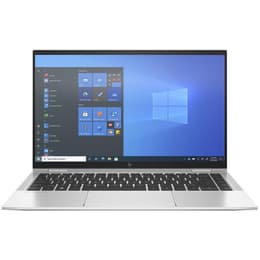
Dell Latitude 5430 14" Vs HP EliteBook X360 1040 G8 14"
- 1-year minimum warranty
- Free delivery on all orders
- Free 30-day returns
Differences at a glance
The Dell Latitude 5430 (2022) and the HP EliteBook x360 1040 G8 (2021) are 14-inch professional laptops designed to handle everyday business applications, multitasking, and productivity tasks. While both models share a standard screen size and cater to mobile professionals, they differ primarily in their structural design and versatility, with the HP featuring a convertible hinge while the Dell utilizes a traditional clamshell format. Both computers run on the Windows operating system and offer robust enterprise management features tailored for corporate and remote environments.
Choosing between these two devices depends on whether physical flexibility or traditional notebook construction better aligns with daily workflows, as both deliver reliable performance for standard office productivity applications.
Available Models
Storage
Processor
Memory
Scores
Durability
When evaluating the longevity and support lifecycle of these business laptops, both models offer solid enterprise-grade construction designed to withstand regular travel and daily office use over several years.
- Software and Security Support: Both machines receive regular operating system updates and firmware patches from their respective manufacturers, ensuring compatibility with modern productivity software and security standards.
- Repairability and Maintenance: The traditional clamshell design of the Dell Latitude typically allows for straightforward component replacement and internal cleaning, whereas the thinner convertible chassis of the HP EliteBook can require more specialized care during maintenance.
- Expected Lifespan: Both devices are built for multi-year deployment in professional settings, though users selecting a quality-assured refurbished option from sustainable channels will find both models retain sufficient operational capability for general office workloads over time.
Year of Release
2022
2020
Last Os Compatibility
Yes
Yes
OS
Windows 11
Windows 11
Performance
Both laptops are equipped to handle standard multitasking, document editing, and web-based applications smoothly, though their internal hardware configurations cater to different styles of daily workflow intensity.
- Multitasking and Responsiveness: Each device manages multiple browser tabs, spreadsheet applications, and communication tools simultaneously without significant lag, supported by generous random access memory configurations.
- Storage and Battery Behavior: Solid-state drive storage options ensure rapid file access and quick boot times on both models, while battery duration varies depending on screen brightness and background application usage during standard work hours.
- Thermal Management: The internal cooling systems maintain stable operating temperatures during routine productivity tasks, keeping the keyboards and palm rests comfortable for extended typing sessions.
Graphic card
Integrated Graphics
Integrated Graphics
Screen quality
The viewing experience on these 14-inch displays is optimized for document readability and productivity, though they differ slightly in physical flexibility and panel characteristics.
- Display Technology: Both models utilize clear liquid crystal displays with wide viewing angles, making text sharp and readable for word processing and spreadsheet analysis.
- Form Factor Versatility: The HP EliteBook x360 features a 360-degree hinge that allows the screen to fold back into tablet or tent modes, whereas the Dell Latitude 5430 opens to a standard flat angle for traditional laptop use.
- Brightness and Outdoor Usability: Panel brightness levels on both devices are sufficient for indoor office lighting, though heavy outdoor use in direct sunlight may require manual brightness adjustments.
Resolution
1920 x 1080
1920 x 1080
Screen type
IPS
IPS
Camera
Audiovisual
Collaboration tools and multimedia consumption capabilities are well-balanced on both business laptops, focusing heavily on clear communication for remote meetings.
- Video Conferencing: Both laptops feature integrated webcams and multi-microphone arrays designed to isolate background noise during virtual meetings and video calls.
- Audio Output: Built-in stereo speakers provide clear dialogue for voice calls and casual media streaming, though external headphones or speakers are recommended for extended media enjoyment.
- Optics and Recording: The camera systems handle variable indoor lighting conditions adequately, ensuring visible participation in professional video conferences without requiring external accessories.
Miscellaneous
Practical daily usability is shaped by physical dimensions, port availability, and connectivity standards tailored to modern workspace requirements.
- Port Selection: Both devices include a versatile array of connection ports, such as USB-C, standard USB ports, and video output options, reducing the immediate need for external adapters.
- Mobility and Weight: Weighing similarly around the 1.4-kilogram mark, both laptops slide easily into backpacks or briefcases for daily commuting and business travel.
- Security Sensors: Integrated fingerprint readers and facial recognition options provide secure, password-free login capabilities across both operating systems.
Weight
1360 g
1320 g
Screen size
14
14
What the community thinks
User feedback from online communities indicates that owners appreciate the reliable everyday performance and sturdy build quality of both the Dell Latitude 5430 and the HP EliteBook x360 1040 G8. Common praise for the Dell centers on its straightforward repairability and dependable keyboard comfort, while HP users frequently highlight the convenience of the flexible 360-degree hinge and polished chassis design. Some users note that intensive multitasking can increase fan noise on both models, and battery life may decrease over time under heavy screen brightness.
Users prioritizing a traditional, sturdy clamshell design with straightforward maintenance will find the Dell Latitude well-suited to their needs. Conversely, users valuing a convertible screen format for presentations and tablet-style media consumption may lean toward the HP EliteBook. Individuals making sustainable choices can explore these models as quality-assured refurbished options to extend technology lifecycles while meeting professional demands.