
Compare models
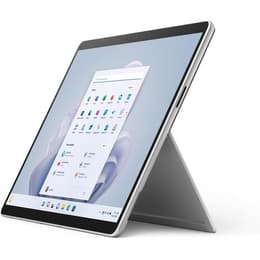
HP EliteBook X360 1040 G8 14" Vs Microsoft Surface Pro 9 13"
- 1-year minimum warranty
- Free delivery on all orders
- Free 30-day returns
Differences at a glance
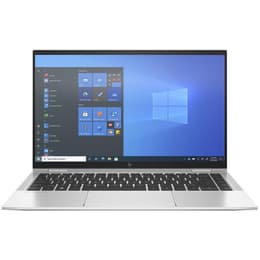
The HP EliteBook X360 1040 G8 (2021) and the Microsoft Surface Pro 9 (2022) represent two distinct approaches to portable computing within the business and professional landscape. While the HP EliteBook follows a traditional convertible laptop design with an attached keyboard, the Microsoft Surface Pro opts for a versatile tablet form factor with a detachable keyboard cover. These devices cater to mobile professionals and students seeking reliable performance, differing primarily in their physical design, screen proportions, and everyday versatility.
Available Models
Storage (GB)
Processor
Memory (GB)
Scores
Durability
When evaluating the long-term viability of these devices, both models offer solid structural longevity and consistent software support, though their hardware designs present different maintenance considerations.
- Software updates and support: Both platforms receive regular system updates and security patches from their respective manufacturers, ensuring secure operation for standard office and web-based tasks over many years.
- Hardware repairability: The integrated clamshell design of the EliteBook allows for certain component replacements by technicians, whereas the sealed tablet body of the Surface Pro involves a more complex repair process.
- Expected practical lifespan: Users can expect several years of dependable daily service from either choice, making quality-assured refurbished options a sustainable and reliable way to extend device longevity while reducing electronic waste.
Year of Release
2020
2022
Last Os Compatibility
Yes
Yes
OS
Windows 11
Windows 11
Performance
Both systems handle standard productivity workloads, multitasking, and media consumption efficiently, though they manage internal resources through different hardware configurations and thermal profiles.
- Everyday multitasking: Applications load rapidly, and switching between browser windows, document editors, and communication tools occurs smoothly without noticeable lag on either device.
- Battery behavior: The EliteBook generally delivers a consistent full workday of standard office use on a single charge, while the Surface Pro's battery endurance can vary more noticeably depending on screen brightness and active workload intensity.
- Storage and memory configurations: Both models offer ample configuration choices for local file storage and system memory, ensuring adequate space for large document libraries and heavy application caches.
Graphic card
Integrated Graphics
Integrated Graphics
Screen quality
Display characteristics differ notably between the two models, influencing how users interact with visual content, read documents, and manage split-screen workflows.
- Display technology and aspect ratio: The EliteBook features a traditional widescreen format suited for side-by-side window multitasking, whereas the Surface Pro utilizes a taller aspect ratio designed to mimic standard paper dimensions for reading and note-taking.
- Brightness and outdoor visibility: Both screens provide sufficient maximum brightness levels and anti-glare properties to maintain legibility under bright office lighting or near windows.
- Touch and pen interaction: While both displays support touch input, the Surface Pro is engineered specifically to function seamlessly as a digital sketchpad and handwriting tablet.
Resolution
1920 x 1080
2880 x 1920
Screen type
IPS
LED
Camera
Audiovisual
Media consumption and communication features are tailored for remote collaboration, balancing video meeting quality with internal audio output.
- Webcam and video calls: Both devices are equipped with high-definition webcameras and reliable microphone arrays that isolate background noise during virtual meetings and video conferences.
- Speaker output: Integrated stereo speakers deliver clear dialogue for voice calls and adequate volume for casual media playback, though external headphones remain preferable for immersive listening.
- Optics and imaging: Rear-facing camera capabilities are basic on both units, serving primarily for document capture and scanning rather than creative photography.
Miscellaneous
Physical dimensions, weight distribution, and connectivity options define how easily each device transitions between stationary desk setups and mobile environments.
- Port selection: The EliteBook includes a robust array of built-in standard USB ports and video outputs without requiring adapters, while the Surface Pro relies primarily on compact connection ports for expansion.
- Portability and weight: The Surface Pro offers a lighter, ultra-compact footprint when used as a standalone tablet, whereas the EliteBook provides a stable, rigid lap-use experience thanks to its attached hinge mechanism.
- Build materials: Both models utilize durable metal chassis constructions designed to withstand regular travel and daily commuting demands.
Weight
1320 g
883 g
Screen size
14
13
What the community thinks
Deciding between the HP EliteBook X360 1040 G8 and the Microsoft Surface Pro 9 depends heavily on individual workflow preferences and daily physical usage patterns. Users prioritizing a traditional laptop experience with a rigid attached keyboard, stable lap-use ergonomics, and a wide selection of built-in ports often lean toward the HP EliteBook. Conversely, users who value a lightweight tablet form factor, high flexibility for digital note-taking, and a taller screen orientation frequently prefer the Microsoft Surface Pro.
Reviewers and everyday users frequently praise the EliteBook for its comfortable typing mechanics and robust physical connectivity, while the Surface Pro receives consistent recognition for its adaptable display and tablet versatility. Both systems deliver reliable daily performance for professional and academic tasks. Choosing a quality-assured refurbished model from Back Market provides a sustainable, cost-effective, and environmentally conscious pathway to acquiring either device without compromising on functional reliability.