

Compare models
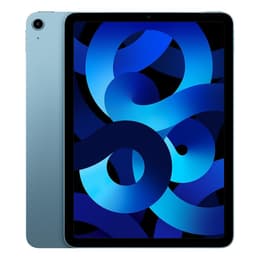
Galaxy Tab S10 Ultra (14.6", 2024) Vs iPad Air 5 (2022, M1 series)
- 1-year minimum warranty
- Free delivery on all orders
- Free 30-day returns
Differences at a glance
The Samsung Galaxy Tab S10 Ultra (2024) and the iPad Air 5 (2022) represent two distinct approaches to high-performance portable computing, balancing large-format versatility with streamlined portability. While the Galaxy Tab S10 Ultra provides an expansive workspace powered by the Android ecosystem, the iPad Air 5 delivers desktop-class performance within a compact tablet running iPadOS. Choosing between them depends on whether your workflow benefits most from a sprawling multi-window canvas or a highly portable, unified application environment.
Available Models
Colour
Storage (GB)
Scores
Durability
Both tablets are built for multi-year longevity, though their release timelines and update cycles reflect different generations of hardware support.
- Software Support and Updates: The Galaxy Tab S10 Ultra benefits from Samsung's multi-year update commitment for security and platform upgrades, while the iPad Air 5 relies on Apple's established history of long-term operating system support.
- Hardware Durability and Repairability: Both devices feature sturdy aluminum frames designed to withstand daily transport, though standard maintenance and battery replacements require professional servicing for both manufacturers.
- Expected Practical Lifespan: Thanks to high-tier memory configurations and capable internal processors, both options maintain sufficient capability to handle demanding daily tasks and software requirements for years of continuous use.
Year of Release
2024
2022
Compatible with latest Update
No
Yes
OS
Android
iPadOS
Performance
The Galaxy Tab S10 Ultra and iPad Air 5 handle heavy multitasking and complex applications smoothly, utilizing robust internal memory configurations to maintain system responsiveness.
- Multitasking and Responsiveness: Both devices load demanding applications swiftly and switch between multiple open windows without noticeable stutter, aided by generous random-access memory allocations.
- Storage and Expansion: The Galaxy Tab S10 Ultra offers high-capacity baseline internal storage alongside expandable storage via a microSD card slot, whereas the iPad Air 5 provides fixed internal storage tiers without external expansion options.
- Battery Behavior: The Galaxy Tab S10 Ultra features a substantially larger physical battery to sustain its massive screen during full days of mixed usage, while the iPad Air 5 relies on a smaller capacity tailored for efficient power consumption during standard mobile tasks.
Screen quality
Display technology is a primary differentiator between these two models, shaping how media consumption and visual work are experienced.
- Display Technology: The Galaxy Tab S10 Ultra features an expansive Organic Light Emitting Diode screen that delivers deep black levels and vivid contrast, while the iPad Air 5 uses a traditional liquid crystal display with accurate color reproduction.
- Size and Workspace: The Galaxy Tab S10 Ultra provides an ultra-large viewing area well-suited for side-by-side app workflows, whereas the iPad Air 5 offers a compact, highly manageable form factor for single-handed holding.
- Outdoor Usability: Both screens reach high peak brightness levels to combat glare, making them usable outdoors or in brightly lit environments with minimal adjustment.
Resolution
1848 x 2960
2360 x 1640
Screen type
Dynamic AMOLED 2X
Liquid Retina display
Pixel density
240ppp
264ppp
Audiovisual
Built primarily for video calls, document scanning, and casual capture rather than professional photography, each tablet approaches optics differently.
- Front-Facing Optics: Both devices include wide-angle front cameras positioned along the landscape edge to keep users centered during video conferences and virtual meetings.
- Rear Camera Systems: The Galaxy Tab S10 Ultra incorporates a dual rear camera setup featuring main and ultra-wide lenses, while the iPad Air 5 opts for a single versatile rear lens suitable for scanning documents and quick snapshots.
- Audio and Media Output: The Galaxy Tab S10 Ultra utilizes a quad-speaker arrangement tuned for immersive media playback, whereas the iPad Air 5 delivers clear stereo sound optimized for personal listening.
Miscellaneous
Physical dimensions, accessory integration, and daily handling characteristics vary significantly due to the differing form factors of the two tablets.
- Handling and Portability: The iPad Air 5 is notably lighter and smaller, making it effortless to slip into compact bags, while the Galaxy Tab S10 Ultra functions more like a laptop replacement requiring dedicated carrying space.
- Accessory Support: Both tablets support dedicated keyboard covers and pressure-sensitive styluses for note-taking and sketching, though these accessories are typically acquired separately.
- Connectivity and Ports: Each model relies on a universal USB-C port for charging and accessory connection, alongside modern wireless networking standards for fast internet access.
Weight
576 g
461 g
Screen size (in)
14.6
10.9
Network
Wi-Fi
Wi-Fi
Carrier compatibility
Unlocked
Without SIM Port
What the community thinks
User feedback highlights distinct preferences for each device based on daily use cases. Owners of the Galaxy Tab S10 Ultra frequently praise its expansive screen space and multitasking flexibility, which makes it feel closer to a traditional laptop setup. Conversely, users of the iPad Air 5 often highlight its fluid operating system performance, lightweight portability, and seamless integration with existing mobile accessories. Choosing a quality-assured refurbished option from Back Market provides a sustainable path toward acquiring either device while reducing electronic waste.
Users who prioritize a sprawling multi-window workspace and expansive media viewing will find the Galaxy Tab S10 Ultra well-suited to their needs. Meanwhile, users prioritizing a lightweight, highly portable device with streamlined app navigation may prefer the iPad Air 5. Evaluating your primary daily tasks will guide you toward the model that best matches your workflow.