

Compare models

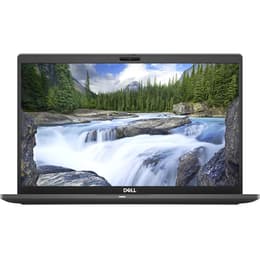
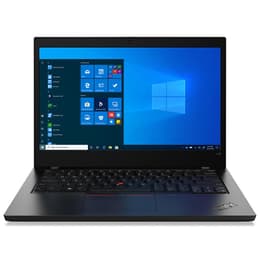
Dell Latitude 7410 14" Vs Lenovo ThinkPad L14 G1 14"

  • 1-year minimum warranty
  • Free delivery on all orders
  • Free 30-day returns
Dell Latitude 7410 14"
Starting at

Refurbished price:330.00

Versus €865.00 new

See options
Lenovo ThinkPad L14 G1 14"
Starting at

Refurbished price:560.73

Versus €1,459.40 new

See options

Differences at a glance

The Dell Latitude 7410 (2020) and the Lenovo ThinkPad L14 Gen 1 (2020) are 14-inch business laptops built to handle daily professional tasks, remote work, and academic loads. While both run on the Windows operating system and target productivity-focused users, they diverge significantly in design philosophy, chassis construction, and internal hardware configurations. The Dell model leans toward a compact, travel-friendly executive build, whereas the Lenovo option emphasizes modular utility and classic enterprise durability.

Available Models

Storage (GB)

Processor

Memory (GB)

Scores

Durability

When evaluating long-term viability, both machines offer robust enterprise-grade durability designed to withstand years of regular commuting and office use.

  • Software Support: Both models support mainstream operating systems like Windows 10 and Windows 11, though remaining security updates depend primarily on the active OS lifecycle rather than manufacturer-specific cutoffs.
  • Repairability: The Lenovo design features accessible internal slots and a standard layout that simplifies component swaps, while the Dell alternative utilizes a tightly integrated chassis that requires careful handling during maintenance.
  • Expected Lifespan: Both laptops deliver reliable multi-year operational life spans when chosen as a quality-assured refurbished option, provided users match the hardware specifications to their workload demands.

Year of Release

2020

2019

Last Os Compatibility

Yes

Yes

OS

Windows 11

Windows 11

Performance

System responsiveness varies across these machines depending on the specific processor generation and configuration chosen, though both handle standard multitasking competently.

  • Everyday Responsiveness: Office suites, web browsing with multiple tabs, and video conferencing run smoothly, with high-tier processor variants managing heavier computational demands without noticeable slowdowns.
  • Memory and Storage: Configurations generally span from basic multi-gigabyte memory allocations to higher tiers suitable for heavier workloads, paired with quick solid-state storage that ensures rapid system boot times.
  • Battery Behavior: Typical everyday usage yields a full workday of mixed tasks on a single charge, though intensive processing or maximum screen brightness will require a nearby power outlet during extended mobile sessions.

Graphic card

Integrated Graphics

Integrated Graphics

Screen quality

Visual output across both 14-inch displays focuses primarily on reducing eye strain and delivering clear text readability for long working sessions.

  • Display Technology: Both laptops utilize standard panel technology with anti-glare coatings to minimize reflections under harsh office lighting or near windows.
  • Resolution and Clarity: Standard configurations feature crisp high-definition resolutions that render documents and spreadsheets with sharp text and consistent edge clarity.
  • Brightness and Outdoor Use: Panel brightness levels are adequate for indoor environments and shaded outdoor spaces, though direct sunlight viewing can require maximum brightness settings.

Resolution

1920 x 1080

1920 x 1080

Screen type

IPS

LCD

Camera

Audiovisual

Media consumption and communication features are tailored for remote collaboration, virtual classrooms, and daily video calls.

  • Webcam Capability: Integrated webcams provide clear video feeds for virtual meetings, often supplemented by physical privacy shutters or infrared sensor options for secure login.
  • Audio Clarity: Built-in microphone arrays capture speech cleanly while filtering out ambient background noise, ensuring intelligible voice transmission during calls.
  • Speaker Output: Onboard stereo speakers deliver adequate volume for dialogue-heavy content like webinars and podcasts, though external headphones or speakers provide richer depth for music and films.

Miscellaneous

Practical day-to-day utility is shaped by physical dimensions, port availability, and peripheral connectivity options.

  • Connectivity Standards: Both devices include reliable wireless networking protocols alongside Bluetooth support for wireless peripherals and accessories.
  • Port Selection: The Lenovo option retains a traditional wired network port alongside multiple universal serial bus connections, while the Dell alternative prioritizes a slimmer profile featuring modern compact connectors.
  • Physical Form Factor: The Dell model offers a lighter, more streamlined footprint geared toward frequent travelers, whereas the Lenovo unit features a slightly chunkier, rugged chassis profile.

Weight

7500 g

1600 g

Screen size

14

14

What the community thinks

User feedback from online communities highlights distinct preferences for each device based on daily working habits. Owners of the Dell Latitude 7410 frequently praise its sleek footprint, premium tactile feel, and reliable travel endurance. Conversely, users of the Lenovo ThinkPad L14 Gen 1 often emphasize its comfortable keyboard travel, robust port variety, and straightforward upgrade path. Common criticisms for the Dell option focus on limited internal upgrade paths, while Lenovo users occasionally note the bulkier chassis weight during transport.

Users prioritizing a lightweight, highly portable footprint for frequent travel may prefer the Dell Latitude 7410, while users prioritizing extensive physical ports and traditional enterprise durability may lean toward the Lenovo ThinkPad L14 Gen 1. Selecting an eco-friendly, quality-assured refurbished device provides an effective way to access these professional features while supporting sustainable technology choices. Reviewing individual hardware specifications will help ensure the chosen configuration matches personal workflow requirements.


Our recent comparisons