Windows

Items
Appearance
4.5/5
Overall performance
4.5/5
Packaging
4.5/5
Shipping
4.5/5
Reviewed 07/06/2026, Ireland. 
The order was not delivered even after waiting for 7 days. I had to contact the support to initiate the refund. The seller should be blacklisted for taking fake orders and not fulfill them after 7 days. This was my first buy in Back Market and the experience was horrendous. I did not expect such horrible service.
Lenovo ThinkPad T14 G3 14-inch (2022) - Core i5-1250P - 16GB - SSD 256 GB QWERTY - English
See itemCondition
Excellent
Purchased
22/05/2026
Reviewed 01/07/2026, Ireland.
Lenovo ThinkPad T14 G3 14-inch (2022) - Core i5 - Gen 12 (U) - 32GB - SSD 256 GB QWERTY - English
See itemCondition
Good
Purchased
13/06/2026
Reviewed 06/07/2026, France. 
The hardware matches the description; no problems, although it does seem to heat up quite quickly – we’ll have to see how that develops. However, the software wasn’t working at all. The PC was delivered with Windows 11 configured in Dutch (display language, keyboard, system accounts). Here’s what I had to do to fix it: - Complete the initial setup wizard (OOBE), which was entirely in Dutch, by bypassing the Microsoft account screen - Change the display language via Windows Settings — to no avail; the interface remained in Dutch. - Disable Fast Startup, followed by multiple restarts and log-offs – still to no avail. - Completely reset Windows via ‘Reset this PC’ with a cloud download (fresh Microsoft image) – the wizard still started up in Dutch, confirming that the regional settings had been hard-coded at the system/firmware level by the refurbisher. - Forced the language change via the command line (PowerShell: Set-WinSystemLocale, Set-Culture, Set-WinUserLanguageList, Set-WinUILanguageOverride). - Manually copy the regional settings to the system accounts and the sign-in screen via the Region panel (control intl.cpl → Administration tab → Copy settings) – it was this final, non-trivial step that finally resolved the issue. I spent over four hours on it and I don’t think that’s quite right. What’s more, the language was really deeply ingrained and wouldn’t go away – it was a real pain. The computer was a present for my wife and, in the end, she wasn’t able to use it as soon as planned. I don’t know what happened on your end, but someone who isn’t technically minded, or isn’t bilingual in Dutch, or isn’t comfortable with AI (thanks, Claude) would never have been able to sort out the problem. I hope this hasn’t happened to any other users; if it has, I feel for them. Have a good day
Translated from French
Lenovo ThinkPad T14 G3 14" Core i5 1.6 GHz - SSD 256 Go - 8 Go QWERTY - Anglais
See itemCondition
Good
Purchased
23/06/2026
Reviewed 26/09/2026, France.
Nice device, its appearance is "like new". No functional problems. We cannot provide the battery SOH, but the battery life seems correct.
Translated from French
Lenovo ThinkPad T14 G3 14" Core i5 3.3 GHz - SSD 256 Go - 16 Go AZERTY - Français
See itemCondition
Good
Purchased
15/09/2026
Reviewed 28/08/2026, United Kingdom. 
The device exceeded expectations, I got Good condition, however not a scratch in sight, the battery (inside the computer ) was optimum - seems to have been replaced. Everything worked well and the charger was in good condition too. All as if brand new.
Lenovo ThinkPad T14 G3 14-inch (2022) - Core i5 - Gen 12 (U) - 16GB - SSD 512 GB QWERTY - English
See itemCondition
Good
Purchased
19/08/2026
Reviewed 18/10/2026, Italy. 
The first delivery had an issue, but the product was replaced quickly and without a hitch—further proof that the seller is serious and professional. Excellent product. Recommended.
Translated from Italian
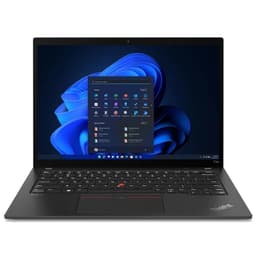
Lenovo ThinkPad T14 G3 14" Core i5 1.3 GHz - SSD 512 GB - 16GB QWERTY - Italiano
See itemCondition
Fair
Purchased
29/09/2026
Reviewed 02/07/2026, Italy.
The device arrived earlier than expected. There is very slight damage to the ThinkPad sticker and a slight mark on the trackpad, but it is generally in perfect condition. The battery is in excellent condition and the device meets the specifications described.
Translated from Italian
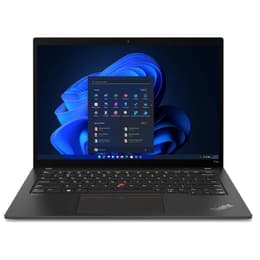
Lenovo ThinkPad T14 G3 14" Core i5 1.3 GHz - SSD 256 GB - 16GB QWERTY - Italiano
See itemCondition
Excellent
Purchased
15/06/2026
Integrated GPUGraphics card memory size (GB)
YesWebcam
YesLast Os Compatibility
12th genProcessor generation
YesEthernet
1920 x 1080Resolution
1.6 GHzProcessor speed (GHz)
Black/GreyColour
IntelProcessor brand
Lenovo ThinkPad T14 G3 14-inch (2022) - Core i5-1245U - 32GB - SSD 512 GB QWERTY - English UK


The best prices for high-quality renewed goods by refurbishers we’ve checked and vetted. We don’t mind if you Google us.
Get to know us