

Compare models
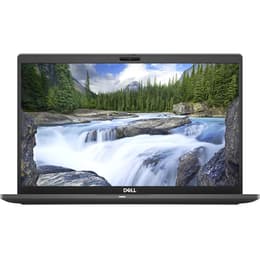
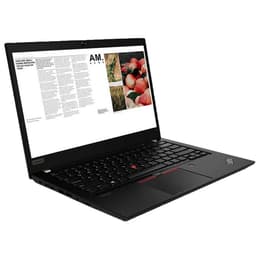
Dell Latitude 7410 14" Vs Lenovo ThinkPad T14 G1 14"
- 1-year minimum warranty
- Free delivery on all orders
- Free 30-day returns
Differences at a glance
The Dell Latitude 7410 and the Lenovo ThinkPad T14 Gen 1 are both 14-inch business-class laptops released around 2020. While they share enterprise-grade security features and portable form factors, they differ primarily in keyboard ergonomics, port selection, and chassis design. Operating on standard desktop systems, both machines cater to professionals seeking reliable productivity tools, though their design philosophies suit slightly different working preferences.
Available Models
Storage (GB)
Processor
Memory (GB)
Scores
Durability
When examining structural longevity and software support, both laptops are designed to withstand frequent travel while receiving standard operating system updates and driver maintenance from their respective manufacturers.
- Software longevity: Both devices receive regular security patches and system updates, though remaining support windows depend heavily on the chosen operating system configuration and enterprise management policies.
- Repairability and build: The Lenovo model offers a modular internal layout with an upgradeable RAM slot, whereas the Dell model relies more heavily on soldered components, influencing long-term hardware maintenance options.
- Expected lifespan: Solid chassis construction ensures both laptops handle daily commuting well, with battery health remaining the primary factor requiring eventual maintenance over years of continuous mobile use.
Year of Release
2020
2019
OS
Windows 11
Windows 11
Performance
For everyday office tasks, web browsing, and multitasking, both laptops deliver responsive processing power and configurable system memory.
- Multitasking and storage: Both models handle dozens of browser tabs and heavy office suites smoothly, supported by fast solid-state storage options that ensure quick application launch times.
- Battery behavior: Battery endurance varies based on display configuration and workload intensity, with typical office tasks lasting through a standard workday before requiring a charge.
- System responsiveness: Current-generation processors manage demanding background processes efficiently, maintaining consistent performance without noticeable thermal throttling during standard professional workflows.
Graphic card
Integrated Graphics
Integrated Graphics
Screen quality
Display configurations on these 14-inch laptops vary in panel technology, maximum brightness, and aspect ratios tailored for different viewing environments.
- Display panels: Both units offer clear resolution options, with select configurations providing vibrant colors and wide viewing angles suited for collaborative document review.
- Outdoor visibility: Maximum brightness levels allow for comfortable viewing in brightly lit offices, though direct sunlight outdoors may require shaded positioning for optimal clarity.
- Visual workspace: The traditional 16:9 aspect ratio on both screens provides ample horizontal workspace for split-window multitasking and spreadsheet management.
Resolution
1920 x 1080
1920 x 1080
Audiovisual
Multimedia capabilities focus primarily on virtual communication quality, integrated microphone clarity, and built-in speaker output for daily collaboration.
- Webcam performance: Integrated camera sensors deliver adequate clarity for standard video conferencing, capturing sufficient detail under typical indoor lighting conditions.
- Audio and voice: Built-in microphones isolate background noise effectively during calls, while integrated speakers provide clear voice reproduction for meetings and casual media consumption.
- Media experience: Audio output is optimized for spoken word and communication rather than heavy entertainment, making external headphones recommended for immersive media sessions.
Miscellaneous
Physical connectivity, port variety, and handling dimensions dictate how easily each laptop integrates into existing desk setups and travel bags.
- Connectivity ports: The Lenovo model includes a traditional wired network port alongside multiple USB options, while the Dell model emphasizes slim USB-C connectivity and streamlined adapter requirements.
- Physical handling: Both machines maintain a professional aesthetic with manageable weights for daily transport, fitting comfortably into standard backpacks or briefcases.
- Input peripherals: The Lenovo features a characteristic tactile keyboard layout with a trackpoint, whereas the Dell focuses on a flatter, quieter typing experience paired with a smooth glass trackpad.
Weight
7500 g
2500 g
Screen size
14
14
What the community thinks
User feedback from online communities highlights distinct preferences for each machine, with Lenovo users frequently praising the tactile keyboard feedback and comprehensive port selection, while Dell users often note the sleek chassis finish and portable profile. Both devices receive consistent praise for reliability in professional environments, though occasional concerns are raised about fan noise under heavy system loads.
Users prioritizing traditional typing comfort and versatile wired connectivity will find the Lenovo ThinkPad T14 Gen 1 well-suited to their daily routine. Conversely, users valuing a streamlined professional design and modern USB-C docking integration may prefer the Dell Latitude 7410. Choosing a quality-assured refurbished option provides a sustainable, eco-friendly alternative that extends the lifecycle of enterprise-grade hardware without compromising on everyday functional reliability.